
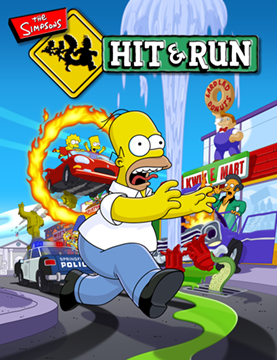
The Simpsons Hit & Run
Springfield, chases and familiar streets. Our buttons, three controller layouts and steering mode.
Play hereLaunch confirmed on one Android devicePort website ↗
Пульт: стрелки и OK. Геймпад: крестовина, A / Start — выбрать, B / Back — назад. Если звук или полный экран не включились, нажмите OK на пульте. В NFS используйте встроенные настройки контроллера.Remote: arrows and OK. Gamepad: D-pad, A / Start to select, B / Back to return. If audio or fullscreen does not start, press OK on the remote. In NFS use its built-in controller settings.
SDplay brings together Simpsons, Prince of Persia, DOOM, Diablo, Quake, Halo, Half-Life and other browser ports. TouchPad adds touchscreen controls. Choose a game and check its launch guide: file and control requirements vary.
More room to play: TouchPad and Simpsons without the address bar in web app mode.
A SMALL COLLECTION. BIG ADVENTURES.
Springfield, chases and familiar streets. Our buttons, three controller layouts and steering mode.
Play here
Traps, ledges and jumps. Turn your phone to landscape and use touch controls.
Open gameThe classic shooter in your browser. Choose Play Solo for single-player; virtual sticks are available on phones.
Open demoTristram awaits. Choose Play Shareware on the website: a Warrior demo with no need to upload your own files.
Open demoLaunch confirmed on one Android device

The installed web app opens without an address bar. Simpsons stays inside it. Internet is needed to load the game. No ChatGPT login is required.
Confirm installation in your browser
Menu names and locations depend on your iOS and browser versions. Apple instructions ↗
Your phone’s status bar and navigation may remain visible. External catalog games, other external links and sign-in pages may open outside the web app with browser controls. Installing the icon does not download the game. Downloading Simpsons for offline play is a separate action on its game card, when a complete set of files is available.
Checking files on this device…
Full download size is not yet known
The source does not provide a verified complete list of game files. A full download cannot be verified yet, so offline play cannot be promised.
Downloads take up space on this device. Deleting them frees space while keeping your settings and game saves. Offline readiness is shown only after every file is verified. Your browser may remove downloaded files if storage runs low.
The TouchPad panel is for Simpsons and your experiments. Some external ports have their own touch controls. Requirements and limitations are listed separately. An arbitrary link cannot automatically open with our panel.
Paste a link. A supported game opens here with your panel
The panel cannot be added automatically to another website. You can open the game separately and try the TouchPad bookmark; controls depend on the game itself.
The external website opens outside the app. Its address bar may appear again.
WASD: move · E: enter car · V: hit · Space: jump / handbrake · Shift: run. You can change the bindings in the panel.
Settings for launching games, testing buttons and the bookmark
A compact panel with key labels. Change its size, layout and buttons while playing.
In the game: ⚙ → Right stick · arrows adds another stick. EDIT drags buttons and sticks; then choose Save. Positions are remembered separately for each panel layout.
Your profile is saved only in this browser. This is a touch-key layout, not a connection to a physical controller.
The Simpsons launcher already includes the panel. For other games, a JavaScript bookmark adds the panel to the page currently open. The code is self-contained: it does not load scripts or send data.
Press the button below. Create any bookmark in Chrome using ⋮ → ☆.
Find it under ⋮ → Bookmarks, then choose ⋮ → Edit. Name it TouchPad, and replace the entire URL field with the copied code.
Open the game and wait for it to load. Start typing TouchPad in the address bar and select the saved bookmark with that name.
Important: The bookmark URL must start with javascript:. Chrome may remove this prefix when you paste into the address bar. Add it manually if it disappears. Editing the bookmark’s URL directly is more reliable.
Copy the selection using your phone’s menu. On a computer, you can drag TouchPad to the bookmarks bar. Copy the code again after changing your settings.
About the technology: website isolation · keyboard input in Emscripten. Games, names and original materials belong to their rights holders. TouchPad is not affiliated with game publishers. The card illustrations were created for this catalog.
The catalog includes The Simpsons: Hit & Run, Prince of Persia, DOOM, Diablo, Quake, Halo, Half-Life and other ports. The ⓘ button on each game opens its file, control and availability details.
You can open SDplay in your browser. Simpsons does not require manual game-file uploads; Halo and Half-Life need your own game files. Check the ⓘ guide for the specific port. Adding SDplay to your home screen creates an icon but does not download all of the game's files.
Simpsons currently needs internet to load. A complete verified offline download is not yet available. Adding SDplay to your home screen does not make the game available offline.
A user reported that the source port launched on one Android device. Other devices depend on browser support, graphics capabilities, and available memory. Steering mode and the newer controller settings still need separate testing.
SDplay is free to use. Support through Boosty is voluntary and helps develop SDplay. A donation is not required to launch the game.
TouchPad is a touch keyboard with sticks and buttons. The Xbox and PlayStation styles change its appearance. They do not connect a physical gamepad.
Collect 5 beacons. Move on the left, jump on the right